
Release readiness for support starts with a shared fact card and a tested working scenario. Provide availability, limits, common stopping points, safe actions and an escalation path; then ask support, customer success and sales to explain the same case. Slides about benefits don't prove readiness to answer a customer.
Imagine a financial planning service launches scenario-based cash inflow forecasting. Sales calls it an automatic forecast, CS suggests customers upload history, and support learns that some sources still require manual entry. Each retelling sounds plausible alone. Together, they create an expectation the feature doesn't meet.
Which release facts should every department know?
Create a short internal release card: the task it supports, who has access, what's required to start and remaining limits. Name an owner and last-update date. This is a working reference for customer answers, not another presentation shown once and forgotten in a shared folder.
Separate fact from plan. A data source may already be supported, undergoing a limited check or merely under discussion: those are three different states. Sales especially needs that distinction, because a promise in a deal outlasts the call. If timing isn't confirmed, the card shouldn't imply it with “coming soon.”
Check access at account and role level. An eligible plan doesn't mean a customer's accountant can configure the forecast. The first release wave may include only some companies. A customer-facing department using an old export will promise the feature to people who haven't received it. Assign a way to check current status quickly.
Provide an internal card with limits and escalation
Here's an example internal card for the hypothetical forecast. It defines document contents; for a real release, name the owner and contact channel explicitly.
| Field | What the customer-facing team knows |
|---|---|
| Task | Build an inflow scenario from prepared history and explicitly stated assumptions |
| Access | Current list of first-wave accounts; an administrator configures it, viewing depends on role |
| Data | Historical import is supported; some sources require manual entry; don't promise automatic connection |
| Limitation | The calculation depends on entered assumptions; it doesn't guarantee future inflows |
| Common stop | Categories aren't mapped: show incomplete fields and correction instructions |
| Safe step | Check the last upload's state before retrying; confirm separately whether a retry is safe |
| Escalation | If data disappears or is accessible to another account, stop the workflow and notify the release owner and on-call engineering |
| Handoff context | Account, role, version, time, step and failure signal; don't copy financial data into a shared chat |
| Conditions update | Release owner confirms the current version; when access changes, they notify FAQ and demo owners |
For a user beta, prepare the card for the limited group too. Moving to general availability requires updating facts, not merely removing “beta” from the title.
For support, prepare the main stopping points: history didn't upload, categories don't match, no source permission, or forecast wasn't generated. Each needs a signal, safe first step and condition for escalation to engineering. Don't make an employee start with generic cache-clearing advice when the problem is incomplete data.
Explain what can be repeated safely. Another upload may create duplicates, and another calculation may change a saved forecast if that's how the product works. Support needs the actual behavior before the first request. If it isn't defined, that's a feature readiness issue, not a gap in an answer template.
A Kompassify launch checklist connects support preparation to specific questions, limitations and plan answers, not merely a feature overview. That's useful advice from a tool vendor. Add your own cases, because a universal list doesn't know how data upload works in your forecast.
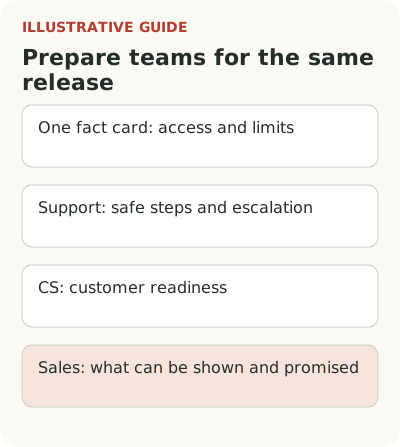
What should CS learn about customer readiness?
Customer success needs to know whom the feature will help in existing work. In the hypothetical service, forecasting helps a company with regular planning, suitable data and a person who makes decisions from the result. Inviting every customer to a demo creates meetings, not necessarily new working workflows.
Give CS readiness questions: who builds the forecast now, which sources they use, who checks assumptions and when the next result is needed. Answers determine whether to offer setup, data preparation or information for now. These aren't questions merely to fill a CRM; each should change the next action.
Define the limits of help. What will the team configure with the customer, what does an administrator do, and where is separate data work required? If unclear, the release can quietly become a manual service project for every account. Before offering it widely, understand that workload and its owner.
What can sales show and promise?
Prepare a demo with an understandable scenario and accurate conditions. Does the forecast use prepared history? Say so. Don't present manual preparation as an automatic connection to an accounting system. An impressive demo the customer can't reproduce creates a problem after signing.
List questions where an improvised answer is particularly risky: supported data, what updates automatically, who has access and whether the calculation can be treated as a commitment. Answers must retain exact limits. If a particular customer needs a check, name its owner and process without inventing a promised result.
A recent Appcues and Navattic article discusses alignment between product and customer-facing teams based on a survey of 60 marketers and the authors' own experience of change. That's a limited sample, not a measure of all companies. It confirms this is a working question for those participants; it doesn't replace checking your team's readiness.
Check readiness with a typical customer case
Ask a representative from each department to perform the main scenario without help from the feature author. Support receives an upload error, CS assesses customer readiness, and sales answers a question about an unsupported source. This reveals different gaps. A checked box for watching a webinar doesn't show whether someone can give the right answer at work.
Test a late plan change too. If one data source is removed or the audience narrowed before release, who updates the demo, answer templates and customer invitations? Assign one signal for changed conditions and owners for the materials. Otherwise training succeeds, but by launch day the very information used for a purchase decision is stale.
During launch, provide a clear escalation channel with the needed context. When handing off a problem, the employee includes customer role, availability, action taken and safely collected error signals. An unstructured internal chat quickly produces repeated questions. An urgent access or data issue should receive a decision faster than an ordinary wish for a later version.
Collect discovered uncertainties in one card and update public material if it repeats an error. After launch, set a short feedback window: what questions arose, where promises were inaccurate and which actions didn't finish. Send that information to the release owner with context, not just a total number of requests.
Give the three departments one scenario and compare their answers about access, data and the first outcome. Include discrepancies in the launch checklist, and assign ongoing duties in the onboarding ownership matrix. Team readiness supports customer feature use: the user should hear one verified promise before and after purchase.