
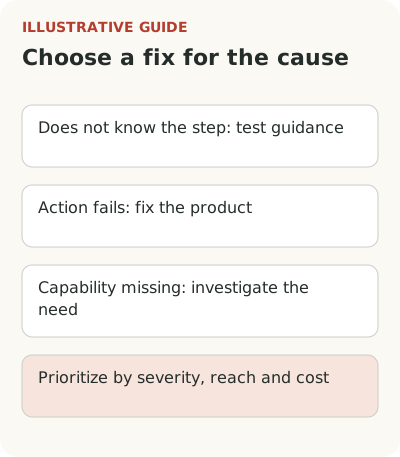
Choosing between onboarding and a new feature starts with the reason someone stopped. If they don't know the step, test an explanation; if the action fails, fix the product; if a needed capability is missing, investigate the need and alternatives.
Suppose a service helps field-service companies schedule technicians. New users create accounts but rarely make a first working schedule. The team proposes a new tour, a manager asks for automatic order assignment, and an engineer points to import errors. It's easy to choose the loudest argument. To find the right first job, investigate the stoppage.
Choose an intervention and a review point
Choose a solution based on the confirmed reason for stopping in one task, not the number of suggestions in the backlog.
| Signal | First action | When to reconsider |
|---|---|---|
| Person can't find an existing step | Test the explanation and action placement | The task still isn't completed after clear instructions |
| Person tries but gets an error | Fix the operation and test a retry | The error is gone but the next blocker appears |
| A required capability is missing | Study the task, alternatives, and minimum option | A workaround solves it more cheaply or the need isn't confirmed |
| Cause is unknown | Observe attempts and study errors and requests | Evidence supports choosing a specific cause |
| Risk of data loss or permission violation | Stop harm and fix the risk first | Protection has been verified in the affected scenario |
Compare reach among eligible accounts, severity, workarounds, and the cost of checking. After release, check the work outcome and new obstacles; a metric increase alone doesn't establish cause.
Take a task the customer is already trying to do
Don't start with a list of possible improvements. Choose one segment and observable outcome: a dispatcher assigns real requests for tomorrow, technicians receive jobs, and there are no scheduling conflicts. Establish which data and permissions are needed, when the task becomes available, and how long the work cycle usually takes.
Then find attempts that didn't reach the outcome. Where did people stop? What did they do beforehand? Which errors did they receive? A conversation about a specific unfinished schedule is more useful than the general question “what features are missing?” A person may propose a solution, but the team needs to understand the obstacle and the cost of working around it.
In an interview with Lauren Schuman of Close, she discusses the risk of starting with new technology and losing sight of the customer's original task. The lesson applies more broadly to prioritization: an attractive tool or feature should answer a discovered cause, not merely look good in next quarter's plan.
Connect the chosen outcome to onboarding metrics.
Distinguish lack of knowledge, failure, and a missing capability
If a dispatcher doesn't understand how to add an order, check the label, empty state, and action placement. If they try to upload a valid file and it fails, an explanation of the format won't help. If the product doesn't support a required assignment rule at all, another tour won't create that capability.
Causes can form a chain. Someone doesn't know the required format, then encounters a processing error, and after upload discovers an important constraint is missing. Record each part separately. Fixing the first will let more people reach the second. That's useful for research, but doesn't mean the customer has achieved the entire outcome.
Check whether the customer fits the target scenario. Perhaps the service is designed for small crews but the dispatcher runs a complex regional network. Don't automatically expand the product for every attempt. Clarifying the audience and promise at entry can matter more than adding scope the team can't maintain.
Address risk and confirmed blockers first
Errors that lose data, violate permissions, or create incorrect jobs deserve separate priority. A new tooltip's broader reach doesn't justify leaving them in place. The cost of harm changes the order of work. After addressing the risk, return to the main scenario and check what else prevents completion.
For other problems, assess reach among the eligible audience, severity, available workarounds, and cost of repair. Don't reduce everything to a single score with invented precision. Show the basis: how many accounts encountered it, what failed, and which part of the outcome a solution could restore.
In the hypothetical scheduling example, an import failure may block everyone arriving from a particular system. A short explanation of adding orders may help another segment. Automatic assignment may help later, once data reaches the product. These tasks don't compete on equal terms: they occupy different places in the workflow and have different levels of evidence.
Activation diagnosis helps identify why people stop after signup.
Test an explanation in the cheapest honest way
If the cause looks like a knowledge gap, show a short explanation next to the task or observe someone using clear instructions. Watch whether they can then complete the action independently. Don't stop at “that's clear now.” The test condition is a working outcome, not agreement with your copy.
If an explanation helps only with constant support, the problem may run deeper: a complex model, hidden requirements, or poor action order. Don't layer twenty tooltips over a form you could simplify. Onboarding makes sense where knowledge is actually needed; an unnecessarily complex interface doesn't become necessary because it is thoroughly described.
In Francesca Smedberg's conversation about Rillion, she emphasizes the domain complexity of ERP implementation and people's participation. You can't require complete independence from every B2B scenario. Sometimes the right solution is a clear boundary between self-service setup and specialist help.
Justify a new feature through the work and alternatives
“I want automatic assignment” doesn't yet describe the task. Ask how the dispatcher does it now, how many orders they handle, which constraints they consider, and what happens when there is an error. Perhaps they need a saved shift template or a conflict warning, not automation.
Compare minimum ways to get the result. Discuss constraints, quality checks, support, and undoing an incorrect decision. The more a feature affects real work, the less reason there is to release it just to increase first use. A newcomer may readily click a button whose consequences the whole company must later resolve.
A prototype or limited scenario with explicit manual participation can test the need, provided the customer understands the terms. Don't present manual processing as finished automation. Research should show whether the outcome is needed and how it fits the process; technical testing should show whether the product can provide it reliably.
Before choosing a solution, check the task through user observation.
Record the reason for the priority
Write down which stoppage the team is fixing first, why it matters, and what outcome would confirm the solution worked. For a tooltip, that's a successful action after the explanation; for a repair, a correct operation without the previous error; for a new feature, a completed task that couldn't previously be solved in the chosen way.
After release, compare comparable cases and check the next obstacles. Growth after a change doesn't prove its contribution without an appropriate comparison. With low volume, you can honestly limit the conclusion to task reviews and observations. Don't make the absence of an exact estimate a reason to stop checking work altogether.
Start with several recent unfinished attempts and group them by confirmed cause. If the cause is unknown, assign research. Only then choose a tour, repair, or new feature. Removing one real stoppage is more useful than releasing three solutions for a problem nobody properly checked.