
To shorten SaaS setup before the first result, keep only the data, permissions, and checks needed to reach it. Move other steps to the action that needs them. Examine dependencies first: one connection screen may hide a request to an administrator, while three short fields may not get in the way at all.
Shortening setup must not damage the result. Remove a data check and an incorrect report may appear sooner. The setup sequence below uses a hypothetical support ticket analysis service; the definition and calculation of time to value help assess the finished change.
Choose the first report and its inputs
Suppose a service helps a support team analyze why people contact them. The first result is a report based on real support tickets that a manager can use to choose a topic for investigation. Viewing an example shows what the product can do, but doesn't yet solve the manager's problem. Track these as separate events.
Before changing the setup wizard, establish what the first report needs: one question from the manager, an agreed period of tickets, access to the source, and a way to check the topic groups. For example, a question about common reasons for recent contacts doesn't require the entire archive, but it does require all tickets for the chosen period. Use these conditions to check each change in sequence.
Save the old journey and mark where someone waits for another participant. A request for access can start before workspace setup if product rules allow that preparation. Reading the data still requires confirmed permissions. Parallel preparation reduces unnecessary waiting only where steps are actually independent.
List the required dependencies
Write down everything the product requires before the report: create a workspace, name the team, add a logo, choose a time zone, connect a source, map fields, and invite colleagues. For each step ask: without it, is the result impossible, unreliable, or simply less polished?
In the hypothetical report, the time zone can affect ticket grouping, while the logo affects appearance alone. The period gives the analysis meaning; inviting the whole team isn't necessary yet. This check is more precise than a general call to “remove friction” because it asks you to name the consequences of removal.
Check each requirement for the hypothetical ticket analysis before moving it.
| Step | Needed before the first report? | Reason or new location |
|---|---|---|
| Choose the question and period | Yes | Otherwise you can't tell whether the source tickets are sufficient |
| Obtain permission to read the source | Yes, for the chosen source | Without it there is no data; a file is an alternative only if the product supports that path |
| Check fields and time zone | Yes | An error changes the grouping and meaning of the conclusion |
| Transfer the entire archive | Usually not | Use an agreed period sufficient for the first question |
| Upload a logo | No | Bring it back before formatting an external delivery |
| Set up distribution and invite the whole team | Not for a personal review of the report | Bring it back when saving a schedule or reviewing together |
Check hidden dependencies separately. For the first import, list the file owner, permissions, and conditions for a successful upload. Connecting a source may require permissions the support manager doesn't have. One step on a diagram can therefore mean days of correspondence. Make the wait visible: who grants access, what can be prepared beforehand, and how to continue after the response. Screen count is not the amount of work.
Reorder the journey from data to a usable report
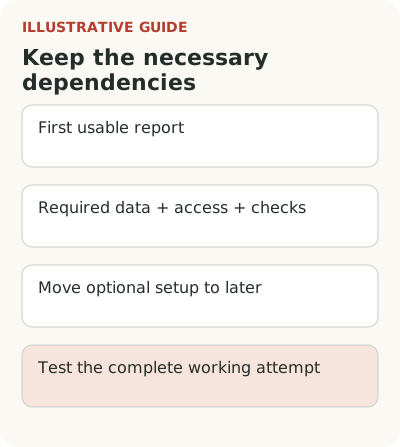
The hypothetical old path is profile → logo → all participants → full archive → report. A working option to test is question and period → access check → limited upload → field check → report → assessment of its usefulness. Distribution opens when the person decides to repeat the analysis. Screen count is secondary: remove waiting that the result doesn't yet require.
If a logo is only needed when sending a report to a customer, offer its upload before sending. If notifications are needed after recurring analysis begins, set them up beside the schedule. The user can understand why each setting is requested, and the team doesn't have to explain every setting's value in advance.
This approach relates to NN/g's progressive disclosure: primary actions stay at the first level, while rare and complex ones open on request. It is a long-standing design principle, not a recent conversion statistic. Its limit is simple: don't hide a setting without which a person will perform the current task incorrectly.
For each move, use the rules for staged onboarding: define an event that brings the setting back and access through ordinary settings. Keep deferred options available after the first result too. Users shouldn't have to find a vanished wizard to change the period or return to field mapping. A shorter start removes premature choices while preserving control. Otherwise the confusion simply moves to the next day.
Reduce the first upload without substituting the result
Instead of the complete ticket archive, you can offer a limited period if it supports a meaningful report. Explain what the analysis includes and what it won't show. A small set of real data is more useful than an arbitrary demonstration result that looks impressive but doesn't help someone make a decision.
Don't choose the limit for speed alone. If a rare reason for contact requires a longer history, a short period will yield an empty conclusion. Suggest an appropriate first question, such as examining common topics over a recent working period. The promised result must fit the available material.
Don't turn a lighter start into a dead end. Check how to add the next batch of data, save settings, and move into normal work. If a successful example requires starting over, the first impression won't help people continue. Record the transition from the first journey to ordinary use as part of the same change.
Test the new sequence on a complete working attempt
Average time among successful accounts alone can easily improve while you lose slower users. Alongside median time, show the share of eligible accounts that reached the result within a fixed window. Add the spread and number of observations: one fast customer doesn't represent the whole group.
Separate waiting, active setup, and error correction if the data allows it. After reordering steps, check not only report speed but also its usefulness, repeat work, and mapping errors. A fast, incorrect result shouldn't count as successful. For a support team, this matters especially when incorrect grouping leads to the wrong decision.
First compare similar accounts with the same source and job. If traffic, trial terms, or customer composition changed at the same time, state that limitation. If preparation took almost the entire trial, examine the trial journey before a payment decision separately. With enough traffic, test the change on comparable groups; with a small flow, observe complete attempts and don't present them as a precise effect estimate.
Clarify the boundary of automation too: what does the product do itself, and what must the user check? If the system silently chooses a field mapping after the shorter start, the person must see that assumption before using the report. Time savings shouldn't depend on making a check invisible.
Take one path to a first report and move just one optional setting. If the person can obtain a usable result, understand the next step, and return to the deferred setting, you have a concrete improvement to test. If only the number of screens fell, the work isn't finished.