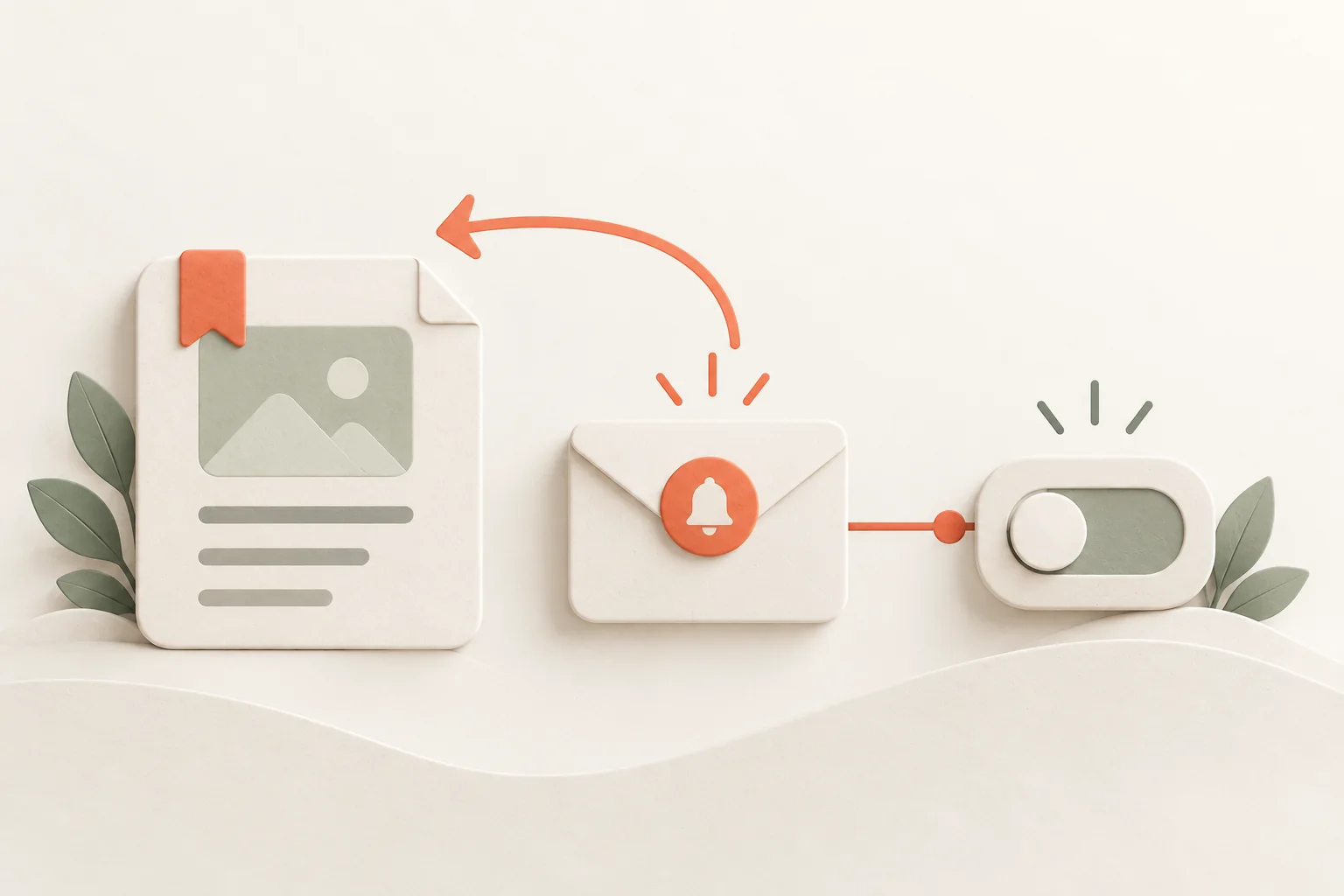
To bring someone back to unfinished onboarding, offer a way to continue saved work from an available step. The message needs a confirmed state, a reason to return, and a link to the same object after sign-in. “You haven't logged in lately” leaves the person to reconstruct all the context.
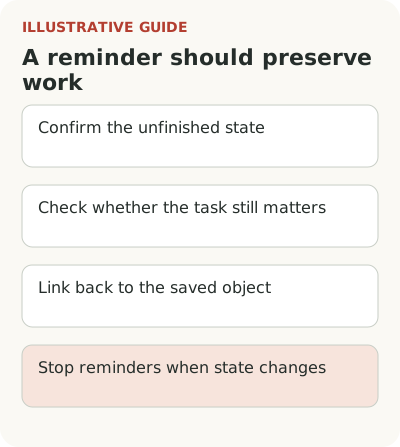
First check why work stopped and whether the task still matters. An import without permissions, an unsaved schedule, and an evaluation that is no longer relevant need different messages. When the cause is unknown, a short question is more honest than precise advice invented by the product.
Check the state before sending a reminder
Suppose someone was setting up an automated sales report. The source is connected and fields mapped, but the schedule isn't saved. You can remind them that data is ready and offer to finish the schedule. If the source never connected, the same advice would be wrong: there is no usable material for a schedule yet.
Check the state immediately before the message. During preparation the user may have returned, finished work, or deleted the draft. Selection conditions from the start of the week can quickly become stale. Define stop rules: the task is done, access is revoked, the person opts out, or the account has moved to other work.
Don't treat missing events as missing interest. The person may be waiting for a file, approval, or the start of a reporting period. Automate & Augment's discussion lists different reasons for non-use at the start and suggests observing the specific stopped step. These are diagnostic hypotheses, not a ready explanation for every silent account.
Write a message with a continuation link
The link should lead to the saved object or required form after sign-in. If it leads to the home page, the person must find the work and recall its details again. Check whether the target survives email verification or another sign-in. This matters especially for an invited user. These transitions often determine the attempt's outcome more than email copy.
Name what remains in the message: for example, choose a delivery time and check recipients. Don't use “almost ready” if the product only knows that the section was opened. Readiness must reflect state, not a wish to sound encouraging. Don't promise that data is saved until you've checked draft retention rules.
Hypothetical options for first report setup:
| Reason for stopping | Message | Saved continuation point |
|---|---|---|
| Schedule not saved, data ready | “Your data is connected. Choose a time and check recipients to start the report.” | The same schedule form with previous values |
| Source waiting for permission | “The connection isn't confirmed yet. Read access is needed to continue; request instructions are in the app.” | Chosen source and list of missing permissions |
| Import returned a known error | “Some uploaded rows still have errors. Open the result and correct only those rows.” | The same operation result and a safe retry |
| Cause unknown | “Were you able to continue setting up your report? If something stopped you, you can reply to this message.” | Current accessible draft, if one exists |
Don't put sensitive report details in an email. “Data is connected” is valid only after checking the state; if access has expired, a different step comes first. Exclude completed and deleted tasks before sending. After a person replies, update the reason for stopping and rules for further messages.
If the object is no longer available, explain why and what is possible. An expired trial, deleted project, and revoked invitation shouldn't lead to a generic error page. The trial evaluation conditions determine what the person can still complete. Recovery depends on product policy. Show it clearly, without pressure or invented urgency. Otherwise the return attempt confirms that their earlier time was wasted.
Choose help for the confirmed cause
An unclear field needs an example beside it. Missing access needs a clear administrator request. A connection error needs a check and safe retry. A task that no longer matters needs an option to defer or decline. One long guide to every setting doesn't solve these situations equally, even if sent diligently every week.
In B2B team onboarding, a stop often depends on handing work to a colleague. If human help is needed, define its limits in advance. During a joint session, the user should perform the key action themselves so the team can see the obstacle and learn whether they can repeat the work. When an employee silently finishes setup for the customer, launch happened technically, but independent use remains untested.
Keep what the investigation teaches the product team. Record which step needed help, which words the person understood differently, and which action they performed themselves. Repeated intervention then becomes a specific fix. Without a record, support will successfully complete the same setups again while the interface remains convenient mainly for support.
Stop the sequence when the task changes
Choose a suitable channel, message consent, frequency, and stop conditions under your product's rules. People shouldn't receive the same advice through several channels after replying in one. Don't include information that cannot be shown outside the app, especially sensitive document names or customer data.
Choose timing from the work context where known. If an administrator hasn't granted access, asking every day to retry the connection is pointless. Show what is awaiting approval and let the person continue after it is complete. Any automatic assumption that approval is pending must rest on data, not a calendar pause.
Provide an easy exit: decline reminders, say the task is no longer needed, or defer it. This helps distinguish a lost journey from a temporarily postponed one. Don't automatically count a refusal as an interface failure. Sometimes the user has made a decision about the product and another message won't change the reason.
Measure resumed work after sign-in
An email open and return visit show attention, not task completion. The main check is the share of eligible stalled accounts that continued the required journey and obtained a result within a set window. Returning an experienced user after product changes requires different context; this article measures an unfinished first launch. Also examine later repeat work: one-time help can bring someone back for an evening without removing the obstacle.
Record the starting state and don't mix causes. For an unfinished import, the result is a usable upload; for a ready draft, it is review and application. PostHog's retention documentation calls for initial and return events; the same principle prevents substituting any app visit for a useful return.
Where possible, retain a comparable group without the new reminder or with the old version. Some users will return on their own because they received data or found time. Without a comparison, all those returns can easily be attributed to the message. With a small flow, state the limitation and study complete attempts rather than declaring a precise effect from a few replies.
Check replies as a separate path. If someone says they are waiting for access or no longer have the task, the team must account for the answer and stop the unsuitable sequence. Otherwise even an accurate first reminder quickly becomes irritating correspondence.
Test one return path from message to result, including sign-in and a changed object state. Flowtomate contextual guidance may help after sign-in. First make sure the product actually lets people continue saved work. Reminding someone about a lost draft is an expensive way to demonstrate your own mistake.